%20scale(0.950000)'%20fill='none'%20stroke-linecap='round'%20stroke-linejoin='round'%3e%3cellipse%20cx='120'%20cy='120'%20rx='72'%20ry='112'%20transform='rotate(-36%20120%20120)'%20stroke='%230B1320'%20stroke-width='13.5'%20stroke-dasharray='188%2034%20146%2042'%20stroke-dashoffset='16'/%3e%3c!--%20Control%20/%20code%20brackets%20--%3e%3cpath%20d='M99%2070%20H78%20Q68%2070%2068%2080%20V104'%20stroke='%230B1320'%20stroke-width='13'/%3e%3cpath%20d='M141%2070%20H162%20Q172%2070%20172%2080%20V104'%20stroke='%230B1320'%20stroke-width='13'/%3e%3cpath%20d='M68%20136%20V160%20Q68%20170%2078%20170%20H100'%20stroke='%230B1320'%20stroke-width='13'/%3e%3cpath%20d='M172%20136%20V160%20Q172%20170%20162%20170%20H140'%20stroke='%230B1320'%20stroke-width='13'/%3e%3c!--%20Neural%20/%20decision%20circuit%20--%3e%3cpath%20d='M95%20103%20L126%20134'%20stroke='%230B1320'%20stroke-width='5.6'/%3e%3cpath%20d='M126%20134%20L147%20112'%20stroke='%230B1320'%20stroke-width='5.6'%20opacity='0.98'/%3e%3cpath%20d='M94%20126%20V154'%20stroke='%239EDB2F'%20stroke-width='9.5'/%3e%3cpath%20d='M149%2088%20V114'%20stroke='%239EDB2F'%20stroke-width='9.5'/%3e%3ccircle%20cx='95'%20cy='103'%20r='14'%20fill='%230B1320'%20stroke='none'/%3e%3ccircle%20cx='126'%20cy='134'%20r='13.5'%20fill='%230B1320'%20stroke='none'/%3e%3ccircle%20cx='149'%20cy='88'%20r='12.5'%20fill='%239EDB2F'%20stroke='none'/%3e%3ccircle%20cx='44'%20cy='123'%20r='15'%20fill='%239EDB2F'%20stroke='none'/%3e%3ccircle%20cx='92'%20cy='160'%20r='4.5'%20fill='%239EDB2F'%20stroke='none'%20opacity='0.92'/%3e%3c/g%3e%3cg%20id='wordmark'%20fill='%230B1320'%20transform='translate(300.000%20161.000)%20scale(0.038086%20-0.038086)'%3e%3cpath%20d='M158%200V1462H555V0Z'%20transform='translate(0.000%200)'/%3e%3cpath%20d='M803%200H408V1139H51V1462H1159V1139H803Z'%20transform='translate(673.615%200)'/%3e%3cpath%20d='M1550%200H1032L498%201030H489Q508%20787%20508%20659V0H158V1462H674L1206%20446H1212Q1198%20667%201198%20801V1462H1550Z'%20transform='translate(1844.231%200)'/%3e%3cpath%20d='M682%20-20Q399%20-20%20242.5%20130.5Q86%20281%2086%20559Q86%20846%20231.0%20999.5Q376%201153%20645%201153Q901%201153%201040.5%201019.5Q1180%20886%201180%20635V461H481Q485%20366%20550.5%20312.0Q616%20258%20729%20258Q832%20258%20918.5%20277.5Q1005%20297%201106%20344V63Q1014%2016%20916.0%20-2.0Q818%20-20%20682%20-20ZM659%20887Q590%20887%20543.5%20843.5Q497%20800%20489%20707H825Q823%20789%20778.5%20838.0Q734%20887%20659%20887Z'%20transform='translate(3512.846%200)'/%3e%3cpath%20d='M942%200%20893%20141H870Q821%2063%20733.5%2021.5Q646%20-20%20528%20-20Q341%20-20%20237.0%2088.5Q133%20197%20133%20395V1133H524V514Q524%20403%20555.5%20346.0Q587%20289%20659%20289Q760%20289%20803.0%20368.5Q846%20448%20846%20637V1133H1237V0Z'%20transform='translate(4739.462%200)'/%3e%3cpath%20d='M819%201153Q870%201153%20916%201145L938%201141L903%20772Q855%20784%20770%20784Q642%20784%20584.0%20725.5Q526%20667%20526%20557V0H135V1133H426L487%20952H506Q555%201042%20642.5%201097.5Q730%201153%20819%201153Z'%20transform='translate(6072.077%200)'/%3e%3cpath%20d='M1217%20569Q1217%20291%201067.5%20135.5Q918%20-20%20649%20-20Q391%20-20%20238.5%20139.0Q86%20298%2086%20569Q86%20846%20235.5%20999.5Q385%201153%20655%201153Q822%201153%20950.0%201082.0Q1078%201011%201147.5%20878.5Q1217%20746%201217%20569ZM483%20569Q483%20423%20522.0%20346.5Q561%20270%20653%20270Q744%20270%20781.5%20346.5Q819%20423%20819%20569Q819%20714%20781.0%20788.0Q743%20862%20651%20862Q561%20862%20522.0%20788.5Q483%20715%20483%20569Z'%20transform='translate(6993.692%200)'/%3e%3cpath%20d='M1550%200H1032L498%201030H489Q508%20787%20508%20659V0H158V1462H674L1206%20446H1212Q1198%20667%201198%20801V1462H1550Z'%20transform='translate(8259.308%200)'/%3e%3cpath%20d='M682%20-20Q399%20-20%20242.5%20130.5Q86%20281%2086%20559Q86%20846%20231.0%20999.5Q376%201153%20645%201153Q901%201153%201040.5%201019.5Q1180%20886%201180%20635V461H481Q485%20366%20550.5%20312.0Q616%20258%20729%20258Q832%20258%20918.5%20277.5Q1005%20297%201106%20344V63Q1014%2016%20916.0%20-2.0Q818%20-20%20682%20-20ZM659%20887Q590%20887%20543.5%20843.5Q497%20800%20489%20707H825Q823%20789%20778.5%20838.0Q734%20887%20659%20887Z'%20transform='translate(9927.923%200)'/%3e%3cpath%20d='M690%20289Q769%20289%20879%20328V43Q800%209%20728.5%20-5.5Q657%20-20%20561%20-20Q364%20-20%20277.0%2076.5Q190%20173%20190%20373V840H53V999L227%201122L328%201360H584V1133H862V840H584V399Q584%20289%20690%20289Z'%20transform='translate(11154.538%200)'/%3e%3c/g%3e%3c/svg%3e)
%20scale(0.950000)'%20fill='none'%20stroke-linecap='round'%20stroke-linejoin='round'%3e%3cellipse%20cx='120'%20cy='120'%20rx='72'%20ry='112'%20transform='rotate(-36%20120%20120)'%20stroke='%23FFFFFF'%20stroke-width='13.5'%20stroke-dasharray='188%2034%20146%2042'%20stroke-dashoffset='16'/%3e%3c!--%20Control%20/%20code%20brackets%20--%3e%3cpath%20d='M99%2070%20H78%20Q68%2070%2068%2080%20V104'%20stroke='%23FFFFFF'%20stroke-width='13'/%3e%3cpath%20d='M141%2070%20H162%20Q172%2070%20172%2080%20V104'%20stroke='%23FFFFFF'%20stroke-width='13'/%3e%3cpath%20d='M68%20136%20V160%20Q68%20170%2078%20170%20H100'%20stroke='%23FFFFFF'%20stroke-width='13'/%3e%3cpath%20d='M172%20136%20V160%20Q172%20170%20162%20170%20H140'%20stroke='%23FFFFFF'%20stroke-width='13'/%3e%3c!--%20Neural%20/%20decision%20circuit%20--%3e%3cpath%20d='M95%20103%20L126%20134'%20stroke='%23FFFFFF'%20stroke-width='5.6'/%3e%3cpath%20d='M126%20134%20L147%20112'%20stroke='%23FFFFFF'%20stroke-width='5.6'%20opacity='0.98'/%3e%3cpath%20d='M94%20126%20V154'%20stroke='%239EDB2F'%20stroke-width='9.5'/%3e%3cpath%20d='M149%2088%20V114'%20stroke='%239EDB2F'%20stroke-width='9.5'/%3e%3ccircle%20cx='95'%20cy='103'%20r='14'%20fill='%23FFFFFF'%20stroke='none'/%3e%3ccircle%20cx='126'%20cy='134'%20r='13.5'%20fill='%23FFFFFF'%20stroke='none'/%3e%3ccircle%20cx='149'%20cy='88'%20r='12.5'%20fill='%239EDB2F'%20stroke='none'/%3e%3ccircle%20cx='44'%20cy='123'%20r='15'%20fill='%239EDB2F'%20stroke='none'/%3e%3ccircle%20cx='92'%20cy='160'%20r='4.5'%20fill='%239EDB2F'%20stroke='none'%20opacity='0.92'/%3e%3c/g%3e%3cg%20id='wordmark'%20fill='%23FFFFFF'%20transform='translate(300.000%20161.000)%20scale(0.038086%20-0.038086)'%3e%3cpath%20d='M158%200V1462H555V0Z'%20transform='translate(0.000%200)'/%3e%3cpath%20d='M803%200H408V1139H51V1462H1159V1139H803Z'%20transform='translate(673.615%200)'/%3e%3cpath%20d='M1550%200H1032L498%201030H489Q508%20787%20508%20659V0H158V1462H674L1206%20446H1212Q1198%20667%201198%20801V1462H1550Z'%20transform='translate(1844.231%200)'/%3e%3cpath%20d='M682%20-20Q399%20-20%20242.5%20130.5Q86%20281%2086%20559Q86%20846%20231.0%20999.5Q376%201153%20645%201153Q901%201153%201040.5%201019.5Q1180%20886%201180%20635V461H481Q485%20366%20550.5%20312.0Q616%20258%20729%20258Q832%20258%20918.5%20277.5Q1005%20297%201106%20344V63Q1014%2016%20916.0%20-2.0Q818%20-20%20682%20-20ZM659%20887Q590%20887%20543.5%20843.5Q497%20800%20489%20707H825Q823%20789%20778.5%20838.0Q734%20887%20659%20887Z'%20transform='translate(3512.846%200)'/%3e%3cpath%20d='M942%200%20893%20141H870Q821%2063%20733.5%2021.5Q646%20-20%20528%20-20Q341%20-20%20237.0%2088.5Q133%20197%20133%20395V1133H524V514Q524%20403%20555.5%20346.0Q587%20289%20659%20289Q760%20289%20803.0%20368.5Q846%20448%20846%20637V1133H1237V0Z'%20transform='translate(4739.462%200)'/%3e%3cpath%20d='M819%201153Q870%201153%20916%201145L938%201141L903%20772Q855%20784%20770%20784Q642%20784%20584.0%20725.5Q526%20667%20526%20557V0H135V1133H426L487%20952H506Q555%201042%20642.5%201097.5Q730%201153%20819%201153Z'%20transform='translate(6072.077%200)'/%3e%3cpath%20d='M1217%20569Q1217%20291%201067.5%20135.5Q918%20-20%20649%20-20Q391%20-20%20238.5%20139.0Q86%20298%2086%20569Q86%20846%20235.5%20999.5Q385%201153%20655%201153Q822%201153%20950.0%201082.0Q1078%201011%201147.5%20878.5Q1217%20746%201217%20569ZM483%20569Q483%20423%20522.0%20346.5Q561%20270%20653%20270Q744%20270%20781.5%20346.5Q819%20423%20819%20569Q819%20714%20781.0%20788.0Q743%20862%20651%20862Q561%20862%20522.0%20788.5Q483%20715%20483%20569Z'%20transform='translate(6993.692%200)'/%3e%3cpath%20d='M1550%200H1032L498%201030H489Q508%20787%20508%20659V0H158V1462H674L1206%20446H1212Q1198%20667%201198%20801V1462H1550Z'%20transform='translate(8259.308%200)'/%3e%3cpath%20d='M682%20-20Q399%20-20%20242.5%20130.5Q86%20281%2086%20559Q86%20846%20231.0%20999.5Q376%201153%20645%201153Q901%201153%201040.5%201019.5Q1180%20886%201180%20635V461H481Q485%20366%20550.5%20312.0Q616%20258%20729%20258Q832%20258%20918.5%20277.5Q1005%20297%201106%20344V63Q1014%2016%20916.0%20-2.0Q818%20-20%20682%20-20ZM659%20887Q590%20887%20543.5%20843.5Q497%20800%20489%20707H825Q823%20789%20778.5%20838.0Q734%20887%20659%20887Z'%20transform='translate(9927.923%200)'/%3e%3cpath%20d='M690%20289Q769%20289%20879%20328V43Q800%209%20728.5%20-5.5Q657%20-20%20561%20-20Q364%20-20%20277.0%2076.5Q190%20173%20190%20373V840H53V999L227%201122L328%201360H584V1133H862V840H584V399Q584%20289%20690%20289Z'%20transform='translate(11154.538%200)'/%3e%3c/g%3e%3c/svg%3e)
What to test in AI-assisted software delivery
A practical testing approach for AI-supported development: what to check with types, contracts, unit tests, integration tests, and acceptance tests, and which parts are not worth automating.
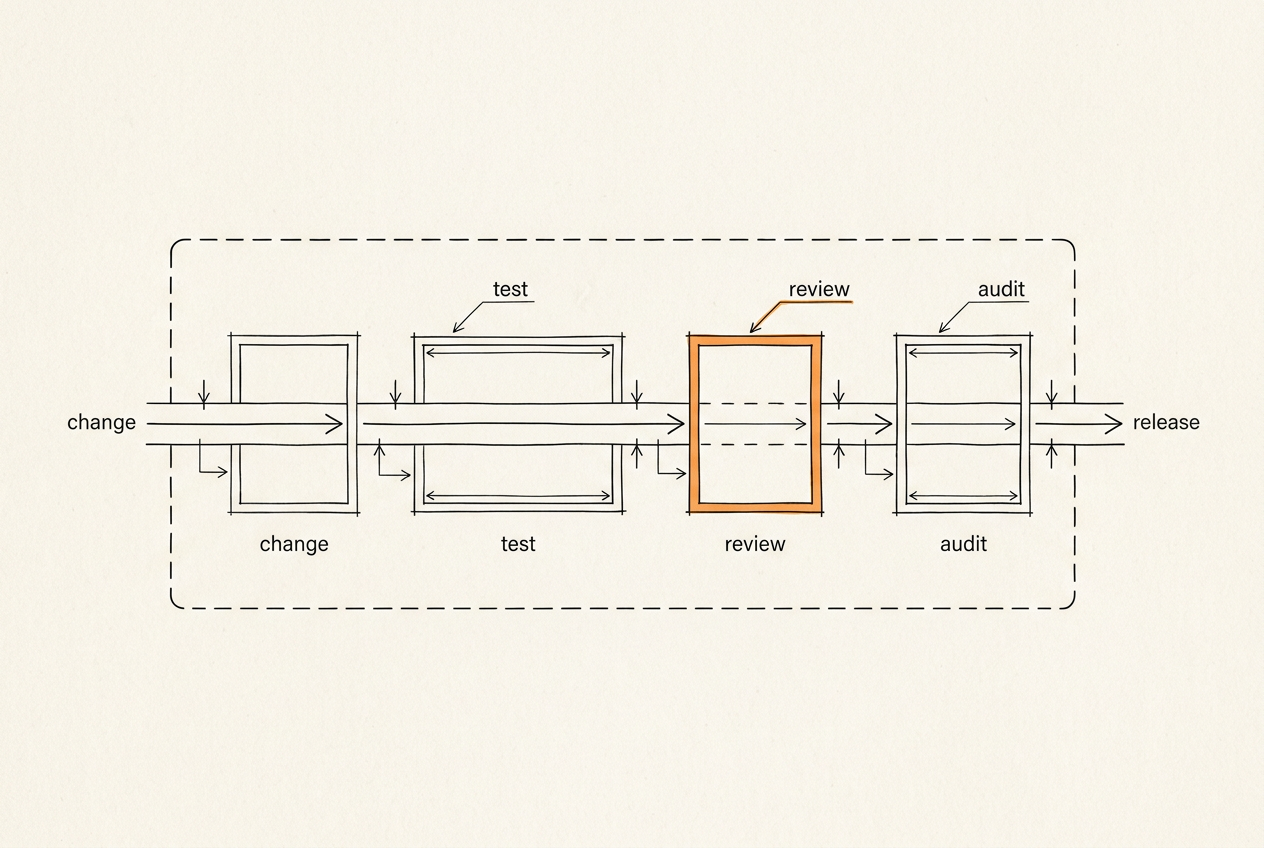
AI-assisted development can produce code quickly. That does not reduce the need for testing. It increases the need for disciplined testing.
When code, tests, configuration, and documentation can be generated faster, teams need a clear way to decide what they trust, what they review, and what must be verified before delivery.
Start With the Test Pyramid
Unit tests
Use unit tests to verify small pieces of logic: calculations, validators, mappers, business rules, permission checks, and utility functions. AI can help generate unit tests, but generated tests still need review. A test that only repeats the assumptions in the implementation is not enough.
Integration tests
Integration tests verify how components work together: a service with a database, a backend with a queue, an API with an external provider, a data pipeline step with downstream storage, or internal module boundaries. These tests matter in AI-assisted work because generated code may look correct in isolation but fail at the boundaries.
API tests
API tests verify request and response behavior, authentication, validation, error handling, and compatibility with clients. In systems with OpenAPI or other contracts, API tests can be tied to the documented interface.
Contract tests
Contract tests are useful when multiple services, clients, or vendors rely on stable behavior. They answer a practical question: can the consumer and provider still work together? This matters when AI helps change code quickly. Fast changes can break integrations unless contracts are explicit.
End-to-end tests
E2E tests verify user-critical flows: sign up, submit an order, upload a document, process a call, generate a report, or complete an admin workflow. E2E tests should focus on important journeys, not every possible UI detail.
Add User-Flow Scenario Testing
AI-assisted systems should be tested against real workflow scenarios. For example: user uploads an audio call → transcription completes → LLM analysis runs → CRM record updates → report becomes visible. This kind of scenario checks whether the system supports the actual business task.
Test Performance Where It Matters
Performance testing is not always needed at the same level for every MVP. But it becomes important when the system has:
- real-time workflows;
- speech/audio processing;
- high-volume API usage;
- dashboards over large datasets;
- background jobs;
- user-facing latency requirements;
- external provider dependencies.
Performance tests should focus on known risk points.
Test AI and LLM-Specific Risks
If the product uses LLMs or agents, include checks for:
- prompt injection;
- sensitive information disclosure;
- unsafe tool calls;
- excessive agency;
- output validation;
- hallucinated claims;
- data boundary violations;
- human review requirements.
OWASP's GenAI Security Project is a useful source for LLM application risk categories.
Add Static Analysis and Dependency Checks
Code generated with AI should pass the same checks as human-written code, or stricter ones: linting, type checks, static analysis, dependency vulnerability scanning, secret scanning, and license checks where relevant. The exact tools vary by stack, but the rule stays the same: AI-generated code should not skip the quality gate.
What ITNeuroNet Provides
Depending on the scope, delivery may include: a test strategy; unit and integration tests; API and contract testing; E2E scenarios; performance and load testing where appropriate; static analysis; code review; security review; handoff notes; and a list of known risks.
The goal is not to claim there are no bugs. The goal is to make the delivery easier to review, safer to change, and easier to hand over.
Discuss Testing for My Project
If you are building with AI-assisted workflows and want more confidence before handoff or launch, it helps to discuss the testing strategy before implementation expands.
More on AI-Assisted Delivery
- Article · May 14, 2026
Why time-to-market is changing in the AI-native software era
Speed no longer comes from typing code faster. It comes from turning product questions into system changes you have checked, can explain, and can deploy safely.
- Article · Apr 22, 2026
Faster code is not faster delivery
Why faster code generation does not shorten a project by itself, and what else must be in place for AI-supported development to save time instead of creating rework.
- Article · Mar 18, 2026
Why AI agent projects fail before the first prompt
When an agent performs badly, the problem is often not the prompt. More often, its role is unclear or it lacks the right tools, permissions, data limits, and review process.