%20scale(0.950000)'%20fill='none'%20stroke-linecap='round'%20stroke-linejoin='round'%3e%3cellipse%20cx='120'%20cy='120'%20rx='72'%20ry='112'%20transform='rotate(-36%20120%20120)'%20stroke='%230B1320'%20stroke-width='13.5'%20stroke-dasharray='188%2034%20146%2042'%20stroke-dashoffset='16'/%3e%3c!--%20Control%20/%20code%20brackets%20--%3e%3cpath%20d='M99%2070%20H78%20Q68%2070%2068%2080%20V104'%20stroke='%230B1320'%20stroke-width='13'/%3e%3cpath%20d='M141%2070%20H162%20Q172%2070%20172%2080%20V104'%20stroke='%230B1320'%20stroke-width='13'/%3e%3cpath%20d='M68%20136%20V160%20Q68%20170%2078%20170%20H100'%20stroke='%230B1320'%20stroke-width='13'/%3e%3cpath%20d='M172%20136%20V160%20Q172%20170%20162%20170%20H140'%20stroke='%230B1320'%20stroke-width='13'/%3e%3c!--%20Neural%20/%20decision%20circuit%20--%3e%3cpath%20d='M95%20103%20L126%20134'%20stroke='%230B1320'%20stroke-width='5.6'/%3e%3cpath%20d='M126%20134%20L147%20112'%20stroke='%230B1320'%20stroke-width='5.6'%20opacity='0.98'/%3e%3cpath%20d='M94%20126%20V154'%20stroke='%239EDB2F'%20stroke-width='9.5'/%3e%3cpath%20d='M149%2088%20V114'%20stroke='%239EDB2F'%20stroke-width='9.5'/%3e%3ccircle%20cx='95'%20cy='103'%20r='14'%20fill='%230B1320'%20stroke='none'/%3e%3ccircle%20cx='126'%20cy='134'%20r='13.5'%20fill='%230B1320'%20stroke='none'/%3e%3ccircle%20cx='149'%20cy='88'%20r='12.5'%20fill='%239EDB2F'%20stroke='none'/%3e%3ccircle%20cx='44'%20cy='123'%20r='15'%20fill='%239EDB2F'%20stroke='none'/%3e%3ccircle%20cx='92'%20cy='160'%20r='4.5'%20fill='%239EDB2F'%20stroke='none'%20opacity='0.92'/%3e%3c/g%3e%3cg%20id='wordmark'%20fill='%230B1320'%20transform='translate(300.000%20161.000)%20scale(0.038086%20-0.038086)'%3e%3cpath%20d='M158%200V1462H555V0Z'%20transform='translate(0.000%200)'/%3e%3cpath%20d='M803%200H408V1139H51V1462H1159V1139H803Z'%20transform='translate(673.615%200)'/%3e%3cpath%20d='M1550%200H1032L498%201030H489Q508%20787%20508%20659V0H158V1462H674L1206%20446H1212Q1198%20667%201198%20801V1462H1550Z'%20transform='translate(1844.231%200)'/%3e%3cpath%20d='M682%20-20Q399%20-20%20242.5%20130.5Q86%20281%2086%20559Q86%20846%20231.0%20999.5Q376%201153%20645%201153Q901%201153%201040.5%201019.5Q1180%20886%201180%20635V461H481Q485%20366%20550.5%20312.0Q616%20258%20729%20258Q832%20258%20918.5%20277.5Q1005%20297%201106%20344V63Q1014%2016%20916.0%20-2.0Q818%20-20%20682%20-20ZM659%20887Q590%20887%20543.5%20843.5Q497%20800%20489%20707H825Q823%20789%20778.5%20838.0Q734%20887%20659%20887Z'%20transform='translate(3512.846%200)'/%3e%3cpath%20d='M942%200%20893%20141H870Q821%2063%20733.5%2021.5Q646%20-20%20528%20-20Q341%20-20%20237.0%2088.5Q133%20197%20133%20395V1133H524V514Q524%20403%20555.5%20346.0Q587%20289%20659%20289Q760%20289%20803.0%20368.5Q846%20448%20846%20637V1133H1237V0Z'%20transform='translate(4739.462%200)'/%3e%3cpath%20d='M819%201153Q870%201153%20916%201145L938%201141L903%20772Q855%20784%20770%20784Q642%20784%20584.0%20725.5Q526%20667%20526%20557V0H135V1133H426L487%20952H506Q555%201042%20642.5%201097.5Q730%201153%20819%201153Z'%20transform='translate(6072.077%200)'/%3e%3cpath%20d='M1217%20569Q1217%20291%201067.5%20135.5Q918%20-20%20649%20-20Q391%20-20%20238.5%20139.0Q86%20298%2086%20569Q86%20846%20235.5%20999.5Q385%201153%20655%201153Q822%201153%20950.0%201082.0Q1078%201011%201147.5%20878.5Q1217%20746%201217%20569ZM483%20569Q483%20423%20522.0%20346.5Q561%20270%20653%20270Q744%20270%20781.5%20346.5Q819%20423%20819%20569Q819%20714%20781.0%20788.0Q743%20862%20651%20862Q561%20862%20522.0%20788.5Q483%20715%20483%20569Z'%20transform='translate(6993.692%200)'/%3e%3cpath%20d='M1550%200H1032L498%201030H489Q508%20787%20508%20659V0H158V1462H674L1206%20446H1212Q1198%20667%201198%20801V1462H1550Z'%20transform='translate(8259.308%200)'/%3e%3cpath%20d='M682%20-20Q399%20-20%20242.5%20130.5Q86%20281%2086%20559Q86%20846%20231.0%20999.5Q376%201153%20645%201153Q901%201153%201040.5%201019.5Q1180%20886%201180%20635V461H481Q485%20366%20550.5%20312.0Q616%20258%20729%20258Q832%20258%20918.5%20277.5Q1005%20297%201106%20344V63Q1014%2016%20916.0%20-2.0Q818%20-20%20682%20-20ZM659%20887Q590%20887%20543.5%20843.5Q497%20800%20489%20707H825Q823%20789%20778.5%20838.0Q734%20887%20659%20887Z'%20transform='translate(9927.923%200)'/%3e%3cpath%20d='M690%20289Q769%20289%20879%20328V43Q800%209%20728.5%20-5.5Q657%20-20%20561%20-20Q364%20-20%20277.0%2076.5Q190%20173%20190%20373V840H53V999L227%201122L328%201360H584V1133H862V840H584V399Q584%20289%20690%20289Z'%20transform='translate(11154.538%200)'/%3e%3c/g%3e%3c/svg%3e)
%20scale(0.950000)'%20fill='none'%20stroke-linecap='round'%20stroke-linejoin='round'%3e%3cellipse%20cx='120'%20cy='120'%20rx='72'%20ry='112'%20transform='rotate(-36%20120%20120)'%20stroke='%23FFFFFF'%20stroke-width='13.5'%20stroke-dasharray='188%2034%20146%2042'%20stroke-dashoffset='16'/%3e%3c!--%20Control%20/%20code%20brackets%20--%3e%3cpath%20d='M99%2070%20H78%20Q68%2070%2068%2080%20V104'%20stroke='%23FFFFFF'%20stroke-width='13'/%3e%3cpath%20d='M141%2070%20H162%20Q172%2070%20172%2080%20V104'%20stroke='%23FFFFFF'%20stroke-width='13'/%3e%3cpath%20d='M68%20136%20V160%20Q68%20170%2078%20170%20H100'%20stroke='%23FFFFFF'%20stroke-width='13'/%3e%3cpath%20d='M172%20136%20V160%20Q172%20170%20162%20170%20H140'%20stroke='%23FFFFFF'%20stroke-width='13'/%3e%3c!--%20Neural%20/%20decision%20circuit%20--%3e%3cpath%20d='M95%20103%20L126%20134'%20stroke='%23FFFFFF'%20stroke-width='5.6'/%3e%3cpath%20d='M126%20134%20L147%20112'%20stroke='%23FFFFFF'%20stroke-width='5.6'%20opacity='0.98'/%3e%3cpath%20d='M94%20126%20V154'%20stroke='%239EDB2F'%20stroke-width='9.5'/%3e%3cpath%20d='M149%2088%20V114'%20stroke='%239EDB2F'%20stroke-width='9.5'/%3e%3ccircle%20cx='95'%20cy='103'%20r='14'%20fill='%23FFFFFF'%20stroke='none'/%3e%3ccircle%20cx='126'%20cy='134'%20r='13.5'%20fill='%23FFFFFF'%20stroke='none'/%3e%3ccircle%20cx='149'%20cy='88'%20r='12.5'%20fill='%239EDB2F'%20stroke='none'/%3e%3ccircle%20cx='44'%20cy='123'%20r='15'%20fill='%239EDB2F'%20stroke='none'/%3e%3ccircle%20cx='92'%20cy='160'%20r='4.5'%20fill='%239EDB2F'%20stroke='none'%20opacity='0.92'/%3e%3c/g%3e%3cg%20id='wordmark'%20fill='%23FFFFFF'%20transform='translate(300.000%20161.000)%20scale(0.038086%20-0.038086)'%3e%3cpath%20d='M158%200V1462H555V0Z'%20transform='translate(0.000%200)'/%3e%3cpath%20d='M803%200H408V1139H51V1462H1159V1139H803Z'%20transform='translate(673.615%200)'/%3e%3cpath%20d='M1550%200H1032L498%201030H489Q508%20787%20508%20659V0H158V1462H674L1206%20446H1212Q1198%20667%201198%20801V1462H1550Z'%20transform='translate(1844.231%200)'/%3e%3cpath%20d='M682%20-20Q399%20-20%20242.5%20130.5Q86%20281%2086%20559Q86%20846%20231.0%20999.5Q376%201153%20645%201153Q901%201153%201040.5%201019.5Q1180%20886%201180%20635V461H481Q485%20366%20550.5%20312.0Q616%20258%20729%20258Q832%20258%20918.5%20277.5Q1005%20297%201106%20344V63Q1014%2016%20916.0%20-2.0Q818%20-20%20682%20-20ZM659%20887Q590%20887%20543.5%20843.5Q497%20800%20489%20707H825Q823%20789%20778.5%20838.0Q734%20887%20659%20887Z'%20transform='translate(3512.846%200)'/%3e%3cpath%20d='M942%200%20893%20141H870Q821%2063%20733.5%2021.5Q646%20-20%20528%20-20Q341%20-20%20237.0%2088.5Q133%20197%20133%20395V1133H524V514Q524%20403%20555.5%20346.0Q587%20289%20659%20289Q760%20289%20803.0%20368.5Q846%20448%20846%20637V1133H1237V0Z'%20transform='translate(4739.462%200)'/%3e%3cpath%20d='M819%201153Q870%201153%20916%201145L938%201141L903%20772Q855%20784%20770%20784Q642%20784%20584.0%20725.5Q526%20667%20526%20557V0H135V1133H426L487%20952H506Q555%201042%20642.5%201097.5Q730%201153%20819%201153Z'%20transform='translate(6072.077%200)'/%3e%3cpath%20d='M1217%20569Q1217%20291%201067.5%20135.5Q918%20-20%20649%20-20Q391%20-20%20238.5%20139.0Q86%20298%2086%20569Q86%20846%20235.5%20999.5Q385%201153%20655%201153Q822%201153%20950.0%201082.0Q1078%201011%201147.5%20878.5Q1217%20746%201217%20569ZM483%20569Q483%20423%20522.0%20346.5Q561%20270%20653%20270Q744%20270%20781.5%20346.5Q819%20423%20819%20569Q819%20714%20781.0%20788.0Q743%20862%20651%20862Q561%20862%20522.0%20788.5Q483%20715%20483%20569Z'%20transform='translate(6993.692%200)'/%3e%3cpath%20d='M1550%200H1032L498%201030H489Q508%20787%20508%20659V0H158V1462H674L1206%20446H1212Q1198%20667%201198%20801V1462H1550Z'%20transform='translate(8259.308%200)'/%3e%3cpath%20d='M682%20-20Q399%20-20%20242.5%20130.5Q86%20281%2086%20559Q86%20846%20231.0%20999.5Q376%201153%20645%201153Q901%201153%201040.5%201019.5Q1180%20886%201180%20635V461H481Q485%20366%20550.5%20312.0Q616%20258%20729%20258Q832%20258%20918.5%20277.5Q1005%20297%201106%20344V63Q1014%2016%20916.0%20-2.0Q818%20-20%20682%20-20ZM659%20887Q590%20887%20543.5%20843.5Q497%20800%20489%20707H825Q823%20789%20778.5%20838.0Q734%20887%20659%20887Z'%20transform='translate(9927.923%200)'/%3e%3cpath%20d='M690%20289Q769%20289%20879%20328V43Q800%209%20728.5%20-5.5Q657%20-20%20561%20-20Q364%20-20%20277.0%2076.5Q190%20173%20190%20373V840H53V999L227%201122L328%201360H584V1133H862V840H584V399Q584%20289%20690%20289Z'%20transform='translate(11154.538%200)'/%3e%3c/g%3e%3c/svg%3e)
Why AI agent projects fail before the first prompt
When an agent performs badly, the problem is often not the prompt. More often, its role is unclear or it lacks the right tools, permissions, data limits, and review process.
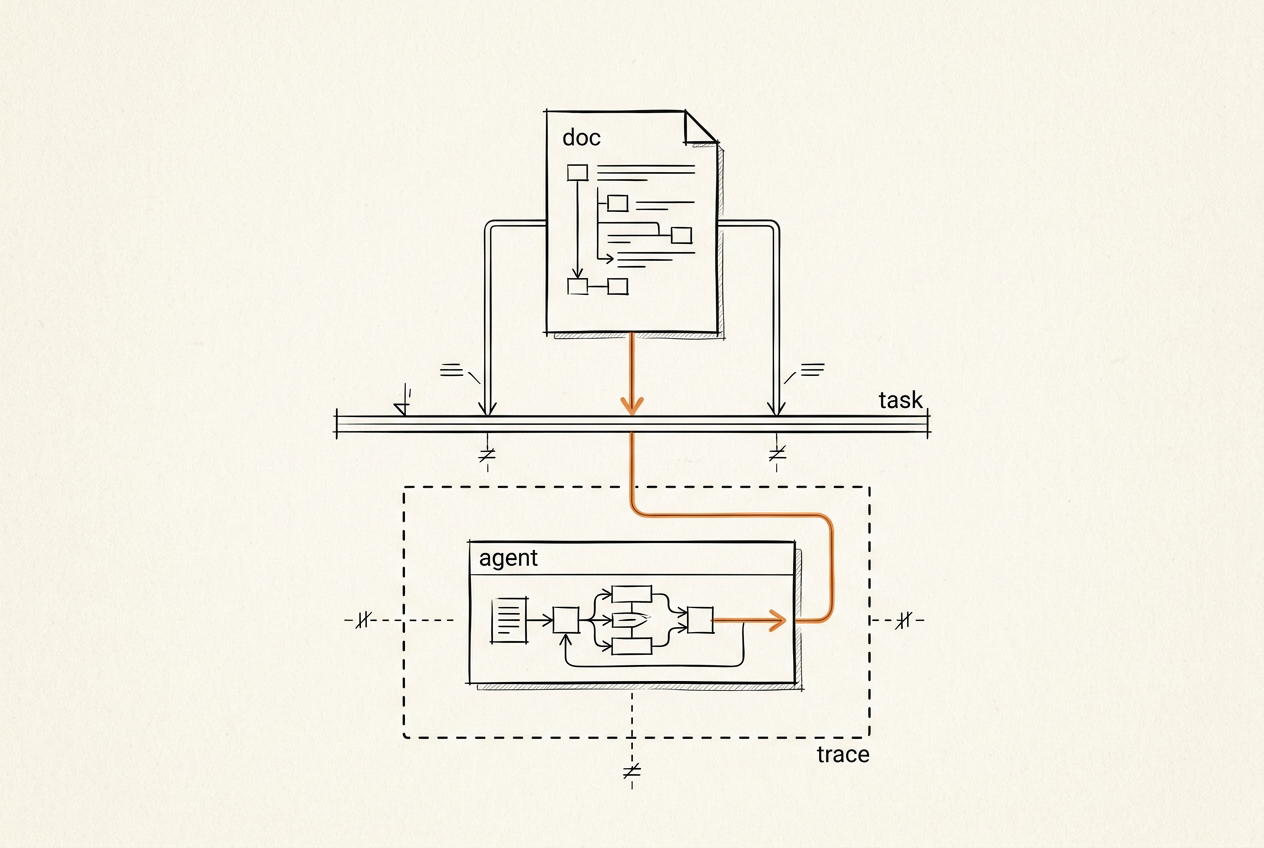
Many AI agent projects start in the wrong place: with a prompt. The team asks, “What should we tell the agent?” But the better first question is, “What job should the agent perform inside a real workflow?”
That difference matters. A useful agent is not just a chatbot with a longer prompt. It is a software component that works with tools, data, permissions, exceptions, and people.
The Prompt Is Not the Architecture
A prompt can describe behavior, but it cannot make up for missing system design. Before an agent becomes useful, the team needs to know:
- which task the agent owns;
- what it is allowed to do;
- which tools it can use;
- what data it can access;
- what it must never access;
- when it should stop;
- when a human needs to review the result;
- what should be logged;
- how failures are handled.
Without that structure, prompt tuning becomes a way to cover up missing architecture.
Why Legacy Systems Make Agents Hard
Deloitte's 2026 work on agentic AI points to a practical issue: many enterprise systems were not built for agent-based interaction. They often lack modern APIs, real-time execution paths, modular architecture, secure identity models, and data prepared for agent use.
In practice, an agent project often brings old system problems into view:
- no stable API;
- inconsistent data;
- unclear permissions;
- manual process steps;
- no audit trail;
- no safe sandbox;
- brittle integrations.
The agent is not the problem. The surrounding system is not ready.
The Core Design Questions
Before building an agent, define: (1) The job — which business workflow will the agent support? Examples: triaging support tickets, summarizing calls, routing documents, preparing reports, checking data quality, drafting follow-up tasks.
(2) The tools — what can the agent actually use? Examples: CRM, database, internal API, document store, task tracker, analytics service.
(3) The boundaries — what data, actions, or users are out of scope?
(4) The review model — which outputs can be automatic, and which need human approval?
(5) The failure modes — what should happen when the agent is uncertain, receives conflicting data, or cannot complete the task?
Security Cannot Be Added Later
Agent-based systems introduce risks around LLMs and tool use. OWASP's GenAI Security Project tracks issues such as prompt injection, disclosure of sensitive information, insecure output handling, excessive agent autonomy, and other risks in LLM applications.
For a product team working in practice, this means:
- agent tools should follow the principle of least privilege;
- sensitive data should stay within clear limits;
- outputs should be validated;
- logs should support review;
- high-risk actions should require approval;
- external input should be treated as untrusted.
ITNeuroNet's Approach
ITNeuroNet designs agents around operational reality: job → workflow → tools → permissions → data boundaries → review loops → implementation. This takes longer than writing a quick demo prompt, but usually less time than rebuilding a fragile agent after it starts touching real data.
Plan an Agent Workflow
If you have a workflow that may benefit from an AI agent, start by defining the job, the tools, and the boundaries.
More on AI-Assisted Delivery
- Article · May 14, 2026
Why time-to-market is changing in the AI-native software era
Speed no longer comes from typing code faster. It comes from turning product questions into system changes you have checked, can explain, and can deploy safely.
- Article · Apr 22, 2026
Faster code is not faster delivery
Why faster code generation does not shorten a project by itself, and what else must be in place for AI-supported development to save time instead of creating rework.
- Article · Feb 11, 2026
AI agents are becoming a new security boundary
Agents that can call tools and route requests to different providers increase the number of places where a system can be exposed. Security review needs to cover those paths too, not just the API edge.